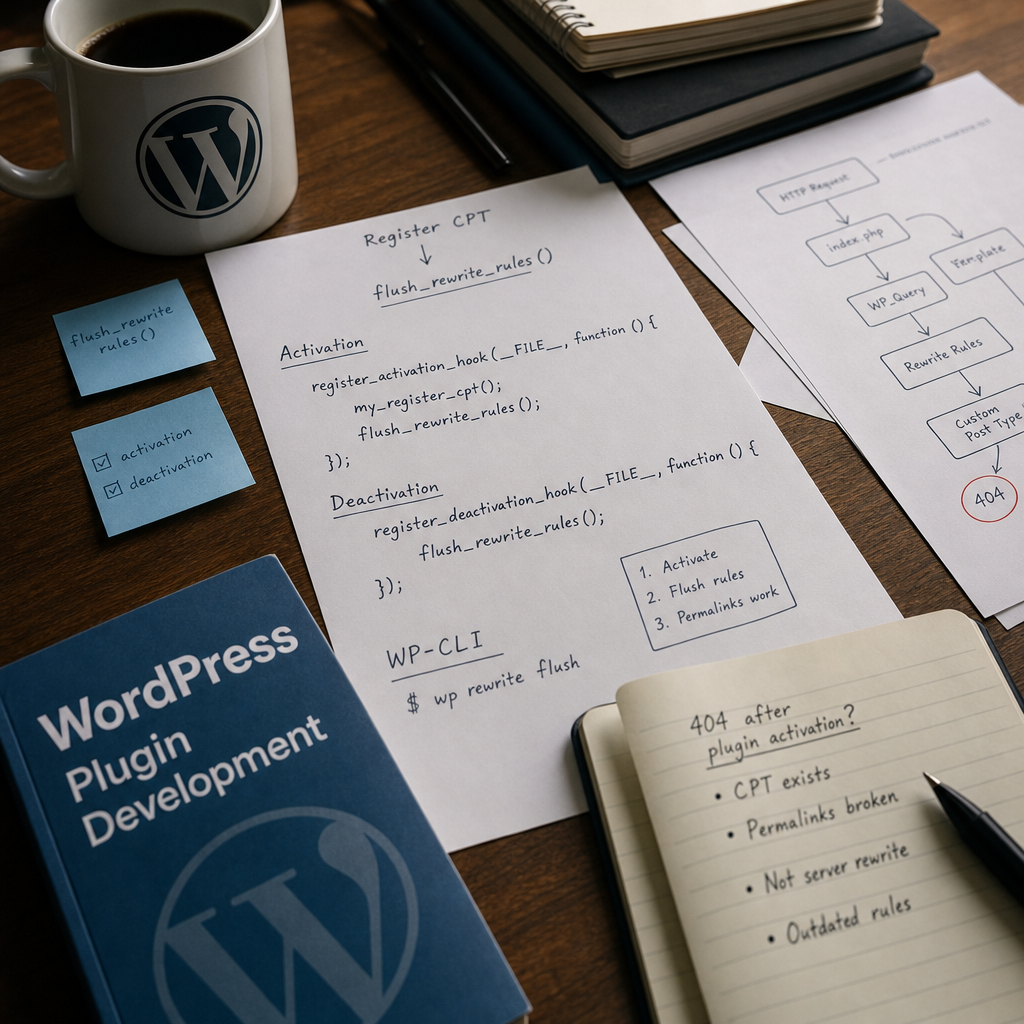
If Custom Post Type entries exist in the WordPress database but their URLs return a 404 error, the cause is often unrelated to Apache or Nginx configuration. WordPress stores routing rules in the database, and after adding a new post type, those rules may remain outdated.
The issue is usually resolved by correctly updating the rewrite rules. However, you must not call flush_rewrite_rules() on every request: this creates unnecessary database operations and can reduce site performance. Below is a safe approach for plugins, post-deployment checks, and common mistakes.
Why Does a Custom Post Type Return a 404?
When registering a Custom Post Type, WordPress receives information about its slug, archive, hierarchy, and rules for individual entries. Based on this data, it generates rewrite rules — a set of rules that WordPress uses to determine which request corresponds to a specific entry or archive.
These rules are not fully rebuilt on every request. WordPress stores them in the database, so after a plugin is installed or updated, they may no longer match the current CPT registration. As a result, the entry may be visible in the administration panel, while a URL such as /portfolio/example/ returns a 404 error.
Flushing the rewrite rules forces WordPress to generate them again. However, flush_rewrite_rules() does not fix errors in register_post_type() itself: if the CPT is registered with an incorrect slug or is not registered at all, the problem will remain after the rules are flushed.
- The CPT was added after the plugin was first launched.
- The post type slug or rewrite settings were changed.
- The plugin was updated through a deployment without being reactivated.
- The rules were flushed before the CPT was registered.
- The site has a slug conflict with a taxonomy, page, or another post type.
The Correct Plugin Activation Flow
The safest approach is to flush the rewrite rules only when the plugin is activated or deactivated. During activation, you must register the Custom Post Type first and call flush_rewrite_rules() afterward. Otherwise, WordPress will not yet know about the new post type and will not add its routes to the rules.
Here is a basic implementation:
function my_register_cpt() {
    register_post_type('portfolio', [
        'label'        => 'Портфоліо',
        'public'       => true,
        'has_archive'  => true,
        'rewrite'      => [
            'slug' => 'portfolio',
        ],
        'supports'     => ['title', 'editor', 'thumbnail'],
        'show_in_rest' => true,
    ]);
}

add_action('init', 'my_register_cpt');

register_activation_hook(__FILE__, function () {
    my_register_cpt();
    flush_rewrite_rules();
});

register_deactivation_hook(__FILE__, function () {
    flush_rewrite_rules();
});
Why Is the Registration Function Called Twice?
The call through add_action('init', ...) is required for regular site requests. The separate call in the activation callback is necessary because the activation hook runs in a special context, before the standard init cycle. Without it, the CPT may not yet be registered when flush_rewrite_rules() runs.
The function name and register_post_type() parameters may differ in a real project, but the order of operations remains the same: register the post type first, then flush the rules.
What Not to Do
A common mistake is to call flush_rewrite_rules() from a function attached to init or directly from a template. In that case, the rules are flushed during every page load and sometimes during AJAX or REST requests as well.
The operation changes or rebuilds routing rules and interacts with the database. This is acceptable for an infrequent event such as plugin activation, but it creates unnecessary load when performed for every visitor.
- Do not call flush_rewrite_rules() on init.
- Do not place it in single templates or functions.php without a condition that ensures it runs only once.
- Do not run it every time a CPT entry is saved.
- Do not use flushing as a way to fix an incorrect post type slug.
- Do not flush the rules in REST handlers or AJAX requests.
How to Fix a 404 After Deployment Without Reactivating the Plugin
If the plugin is already installed and its code was updated through Git, CI/CD, or a file manager, the activation hook is not run again. Therefore, a CPT added in the new version may not appear in the current rewrite rules.
In this situation, WP-CLI is a convenient option. Run the command from the WordPress root directory or specify the correct path to the installation:
wp rewrite flushWhen Is a Hard Flush Required?
The standard wp rewrite flush command updates WordPress rules. If you also need to check how they interact with the web server configuration, WP-CLI supports the --hard parameter, but it should be used carefully and only when the server environment and access permissions allow it.
In most cases, a standard rules flush is sufficient for a Custom Post Type 404. If the URL still does not work afterward, the problem may be related to the permalink structure, server configuration, or CPT registration code.
wp rewrite flush --hardChecking Custom Post Type Registration
Before troubleshooting the rewrite rules, make sure that the CPT is actually registered for the relevant request. Check whether add_action('init', ...) is being executed, whether a condition disables registration on the front end, and whether a PHP error occurs while the plugin is loading.
It is also important to check the rewrite parameters. If rewrite => false is set for the CPT, WordPress will not create standard pretty URLs. If a custom slug is used, the actual entry URL may differ from the post type name.
- Check that the first argument of register_post_type() is correct.
- Make sure the slug contains no errors and does not duplicate a page slug.
- Check has_archive if the CPT needs an archive page.
- Make sure the entry has a status available on the front end, such as publish.
- Review the PHP logs if the plugin code is not loading.
wp post-type list
wp rewrite list | grep portfolio
Other Causes of a 404 After Flushing the Rules
If the URL still returns a 404 after a correct flush, do not keep repeating the command indefinitely. First, check whether a regular WordPress page opens and whether entries of other post types work.
Pay particular attention to URL conflicts. For example, a page with the portfolio slug may conflict with a CPT archive using the same slug. Such conflicts can result in unpredictable routing.
On sites that use caching, you may also need to clear the page cache or reverse proxy cache after changing the rules. This does not replace flushing the rewrite rules, but stale cache can hide the result of the fix.
- Check whether the CPT slug is already used by a page or taxonomy.
- Clear the cache after updating the rules if caching is enabled.
- Make sure WordPress is using the correct siteurl and home values.
- Check the server's rewrite rules if 404 errors occur for all pretty URLs.
- Compare the results for the entry URL, archive, and CPT taxonomies.
Recommendations for Plugin Updates
If a new CPT is added during a plugin update, do not rely solely on reactivation. Users usually update plugins without deactivating them, so the activation hook will not run in this scenario.
For more complex changes, you can store the rewrite rules version in the plugin settings and perform a one-time flush after detecting a new version. This mechanism must be implemented carefully: it should run once rather than on every request.
- Use register_activation_hook() for the initial installation.
- Use register_deactivation_hook() to remove routes after deactivation.
- After a deployment without reactivation, run wp rewrite flush.
- After changing a slug, account for old URLs, redirects, and possible 404 errors.
- Test an individual entry, the archive, and related taxonomies.
Frequently asked questions
Do I need to flush the rewrite rules after every CPT entry is created?
No. Creating, editing, or deleting an individual entry does not change the rewrite rules structure. Flushing is required after registering the CPT, changing its slug, or modifying other routing parameters.
Why did flush_rewrite_rules() not fix the 404?
The CPT may not be registered, may have an incorrect slug, may have rewrite disabled, or may conflict with a page or taxonomy. The cause may also be caching or web server configuration errors.
Is simply deactivating and reactivating the plugin enough?
In many cases, yes, provided that the activation hook is implemented correctly. During activation, the CPT must be registered before flush_rewrite_rules() is called. For automated deployments, running wp rewrite flush is more reliable.
Can I call flush_rewrite_rules() manually from an administration page?
Yes, provided the action is limited to a one-time operation and includes capability and nonce checks. However, for a standard plugin, it is better to use an activation hook, a version migration mechanism, or WP-CLI.
Does show_in_rest affect Custom Post Type URLs?
No. This parameter controls whether the post type is available in the WordPress REST API and editor. It does not replace the rewrite parameter and does not by itself fix a 404 for front-end URLs.
Conclusion
A Custom Post Type 404 after a plugin is installed or updated is often caused by outdated rewrite rules. The correct sequence is simple: register the CPT, update the rules once during activation, or run wp rewrite flush after deployment.
Do not use flush_rewrite_rules() during the regular request cycle. If the URL still does not work after a one-time flush, check the CPT registration, slug conflicts, caching, and server configuration — these are the causes most often left after the rules have been correctly updated.